So you want to scrape Google Maps. Maybe you need a list of every dentist in Miami for a B2B campaign, every restaurant in your city for market research, or every competitor in your category for a local SEO audit. Whatever the goal, you've landed in the right place - this guide walks through everything you need to know to start scraping Google Maps in 2026, even if you've never written a line of code.
By the end you'll understand what data Google Maps actually exposes, whether scraping it is legal, the three ways people do it, and how to pull your first 500 leads in under a minute using a no-code tool like Livescraper.
What is Google Maps Scraping?
Google Maps scraping is the process of automatically extracting business information - names, addresses, phone numbers, websites, ratings, reviews, opening hours - from Google Maps listings and saving that data into a structured file like CSV or Excel.
It's the same data you'd see by clicking through Maps listings manually, but collected at scale. Instead of copying one business at a time, a scraper queries Maps the way a human would, then parses and exports thousands of results in minutes.
People often confuse this with the official Google Maps API. They're different. The API is a paid developer interface with strict rate limits and usage rules - fine for displaying a map on your site, expensive and restrictive for pulling lead lists. Scrapers work directly with the public Maps interface, which means more flexibility, more data fields, and a much lower cost per record.
What Data Can You Actually Extract?
Every public field on a Google Maps listing is fair game. With a tool like Livescraper, each business record typically includes:
- Business name and category (e.g., "Plumbing service," "Italian restaurant")
- Full address - street, city, state, postcode, country
- Phone number
- Website URL
- Rating (1–5 stars) and total review count
- Opening hours per day of the week
- Latitude and longitude coordinates
- Google Place ID and CID - useful for follow-up enrichment or matching against other datasets
- Subcategories and any extra tags Google attaches to the listing
One important field not in Maps directly: email addresses. Google doesn't surface emails in listings because Maps is built for consumers, not B2B prospecting. To get emails, you scrape the business websites you collected - that's a separate step called enrichment. Our guide to extracting emails from Google Maps covers that flow in detail.
Common Use Cases
Beginners often ask what people actually do with this data. The four most common patterns:
- B2B lead generation. Sales teams build targeted call-and-email lists by category and city - every dental clinic in Texas, every law firm in London, every gym in Berlin.
- Local SEO research. Agencies pull every business in a category to analyse who ranks, who doesn't, which competitors have weak listings, and where the white space is.
- Market sizing. Researchers map an industry across a region - how many coffee shops in Brooklyn, what their average rating is, how they cluster geographically.
- Competitor monitoring. Brands track rating trends, new reviews, and category shifts for their competitors over time.
If your goal touches any of those, Google Maps is probably your starting point. It's the largest, freshest, most categorised business directory on the open web.
Is Google Maps Scraping Legal?
Short answer: yes, when you're scraping publicly visible data. Every business listing on Google Maps is publicly published - the company chose to put it there, anyone with a browser can see it, and collecting public information is a long-established practice covered by court rulings in the US (the 2022 hiQ Labs v. LinkedIn decision being the most cited).
What you do with the data is where your legal responsibility kicks in. If you're sending cold email outreach, you need to comply with the rules of the jurisdictions you're emailing into - GDPR in the EU, CAN-SPAM in the US, PECR in the UK, CASL in Canada, and so on. That means honoring unsubscribes, identifying yourself clearly, and (in the EU) ensuring you have a legitimate-interest basis for the outreach.
The scraping itself isn't the legally risky step. The outreach is. As long as you respect the public/private boundary on the source side and follow outreach law on the use side, you're operating exactly the same way every sales-tech tool on the market does.
3 Ways to Scrape Google Maps
People come to this from three angles, depending on technical skill and how much they need to extract.
1. Manual copy-paste
Click each business, copy the fields you want into a spreadsheet, repeat. Free, but completely unrealistic at any scale. Forty entries an hour on a good day. Skip this unless you only need three or four leads total.
2. Build your own scraper
If you can code, write a Python script using Playwright or Selenium to open Maps, run a search, paginate through results, and parse the DOM. This works, but you'll spend a week handling pagination quirks, proxy rotation, rate limits, and the fact that Google's DOM changes regularly. We have a walkthrough of scraping Google Maps reviews in Python if you want to see what's involved. Recommended if you have unusual requirements; overkill for standard lead generation.
3. Use a no-code tool
The fast path. A managed scraper like Livescraper handles the search interface, pagination, proxies, parsing, deduplication, and export. You pick a category and location, click run, download a CSV. No infrastructure, no maintenance, no broken scripts when Google changes the page. Most people landing on this guide want option 3 - it's the difference between an afternoon of leads and a quarter of engineering work.
Step-by-Step: Pull Your First 500 Leads in 38 Seconds
Here's exactly how the no-code flow works in Livescraper. The walkthrough below is the same one in our businesses-without-website tutorial - same tool, same flow, applied here to a basic lead-gen job.
- Sign up at livescraper.com. Your first 500 rows are free and there's no credit card. Use this to test data quality on your own market before paying anything.
- Open the Google Maps Scraper from the dashboard.
- Enter a search query. Use natural Maps-style terms - "Pet Stores," "Dentists," "Coffee shops" - exactly as you'd type into Google Maps.
- Pick the location. Choose a country, state, and city. Livescraper handles the geocoding automatically. For larger areas you can use zip codes to split a region into multiple queries - useful because any single Maps query caps at around 500 results.
- Set your filters. Optional but powerful. Filter by rating, category, whether the business has a website (great for agency prospecting), or any other field. The filter for "Website is blank" is one of the most common - it surfaces businesses that don't have a site yet, which is gold for web-design agencies.
- Choose your export format. CSV, XLSX, or JSON. CSV imports cleanly into every CRM; XLSX if your team works in Excel; JSON if you're piping into a custom tool.
- Click Get Data. The scraper runs, deduplicates, and prepares your file. Most jobs under 500 rows finish in under a minute. Larger jobs scale linearly.
- Download. Your CSV lands in your downloads folder, ready to import.
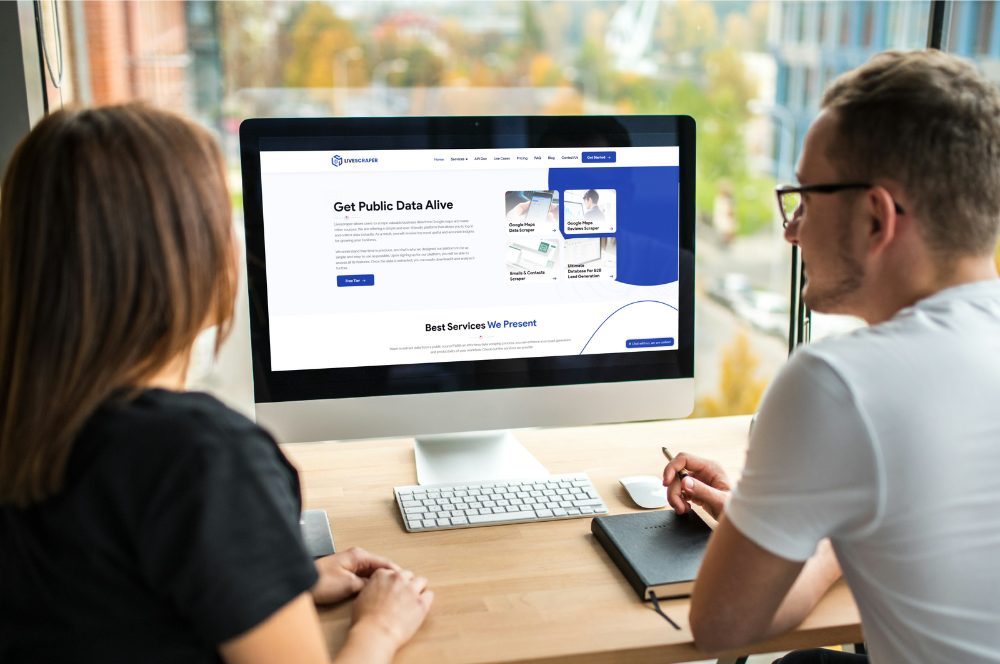
That's the full loop. We made a 38-second screencast of an end-to-end run - you can watch it on the homepage.
What to Do With the Data
You've got the file. Now what? Three patterns are the most common starting points:
- Import into your CRM. Map the columns to HubSpot, Pipedrive, Salesforce, Close, or whatever you use. Most CRMs accept CSV directly; the field names from Livescraper line up with standard CRM fields without renaming.
- Enrich with emails. If your campaign is email-based, feed the website URLs into the Email Scraper. It visits each site, finds contact addresses on the relevant pages, and returns the same list with email columns filled in.
- Filter by rating to find prospects. For agencies, filtering the list for businesses with under four stars - or with no reviews at all - surfaces the companies most likely to be receptive to a "we can help you fix this" pitch.
Once you've used the data once, you'll start spotting more use cases. The exports are intentionally generic so they slot into whatever downstream workflow you already have.
Common Beginner Mistakes
Five things people get wrong the first time they scrape Google Maps:
- Treating 500 as a hard ceiling. Any single Maps query is capped at roughly 500 results by Google itself. If your target market is bigger than that, split the search by zip code, by sub-category, or by city neighborhood. Livescraper has a zip-code-split option built in.
- No filters. A query like "Restaurants in New York" returns thousands of records - most of them noise. Always add at least one filter: rating range, has-website, opening-hours pattern, anything. Your list quality jumps significantly.
- Skipping email validation. If you enrich for emails, run them through validation before sending. Otherwise you'll burn your sender reputation on dead addresses. Most email tools include validation; if not, services like NeverBounce or ZeroBounce handle it for cents per check.
- Cold-blasting without warming the domain. Sending 2,000 cold emails from a fresh domain is the fastest way to land in spam. Warm the domain for 2–3 weeks first, then start small and scale volume gradually.
- Not respecting unsubscribes. One missed unsubscribe can trigger a CAN-SPAM violation. Whatever tool you send through, make sure unsubscribes are honored automatically.
Start Free
The fastest way to understand Google Maps scraping is to do one extraction yourself. Sign up at livescraper.com, pick a category and a city you know well, and pull 500 rows for free. You'll know within a minute whether the data quality fits what you need.
If you want to compare scrapers, browse our full scraping toolkit - Maps, reviews, emails, B2B database, and more. The same dashboard, same export format, same flexible credits across every tool.
Frequently asked questions
Is Google Maps scraping legal?
Yes - scraping publicly visible business listings on Google Maps is legal. The data each business publishes on its Maps profile is public, and collecting public information has been upheld in US case law (the 2022 hiQ Labs v. LinkedIn decision being the most cited). Your legal responsibility kicks in with what you do with the data: comply with GDPR, CAN-SPAM, PECR, CASL, and other outreach laws when you contact the businesses you collect.
Do I need to know how to code to scrape Google Maps?
No. A no-code tool like Livescraper handles the entire process - pick a category, set a location, click run, download a CSV. Coding is only required if you're writing your own scraper from scratch (e.g., with Python and Playwright), which is generally only worth it if you have unusual requirements.
How much Google Maps data can I extract for free?
Livescraper gives you 500 free rows on every new account, no credit card required. That's enough to test data quality on your own market - your category, your city - before paying anything. After the free tier, flexible pay-as-you-go credits let you scale to thousands of records on demand.
How do I get email addresses from Google Maps?
Google Maps doesn't show email addresses directly. To get emails, you scrape the business websites you collected and look for contact addresses on the relevant pages. Livescraper's Email Scraper automates this - feed it a list of business websites and it returns the same list with email columns filled in.
What's the difference between the Google Maps API and a scraper?
The Google Maps API is Google's official paid interface, with strict rate limits and usage rules - designed for displaying maps on websites, not bulk data collection. Scrapers work with the public Maps interface, which is more flexible, exposes more fields, and costs far less per record. For lead generation and market research specifically, scrapers are almost always the better tool.
Can I scrape Google Maps reviews as well as business listings?
Yes. Livescraper's Google Maps Reviews Scraper pulls every review on any business - author name, star rating, full review text, date, owner reply, and review language. It's the same kind of structured CSV output as the business scraper. Used heavily for sentiment analysis, competitor monitoring, and reputation tracking.
How do I scrape Google Maps businesses that don't have a website?
Add a filter for 'Website is blank' before running the search. The result is a list of every business in your category and location that hasn't built a site yet - useful for web design and SEO agencies prospecting new accounts. Livescraper supports this filter directly in the Google Maps Scraper UI.
Can I export Google Maps data to Excel or CSV?
Yes - Livescraper supports CSV, XLSX, and JSON exports. Pick the format from the export step before clicking Get Data. CSV imports cleanly into every major CRM (HubSpot, Pipedrive, Salesforce, Close), XLSX is best if your team works in Excel, JSON is best for custom downstream tooling.
How long does a 5,000-record Google Maps extraction take?
Typically 4–8 minutes, depending on how many sub-queries are needed. Google caps each Maps query at around 500 results, so larger jobs are split automatically across multiple queries. You don't have to keep the tab open - the job runs server-side and notifies you when the export is ready.
Is there a limit on how many businesses I can scrape from Google Maps?
No hard limit beyond the per-query cap (~500 results) that Google itself imposes. Livescraper splits larger jobs automatically across multiple queries by zip code, category, or neighbourhood, so you can build lists of tens of thousands of businesses. The practical limit is your credit balance - pay-as-you-go pricing means you only pay for what you actually extract.