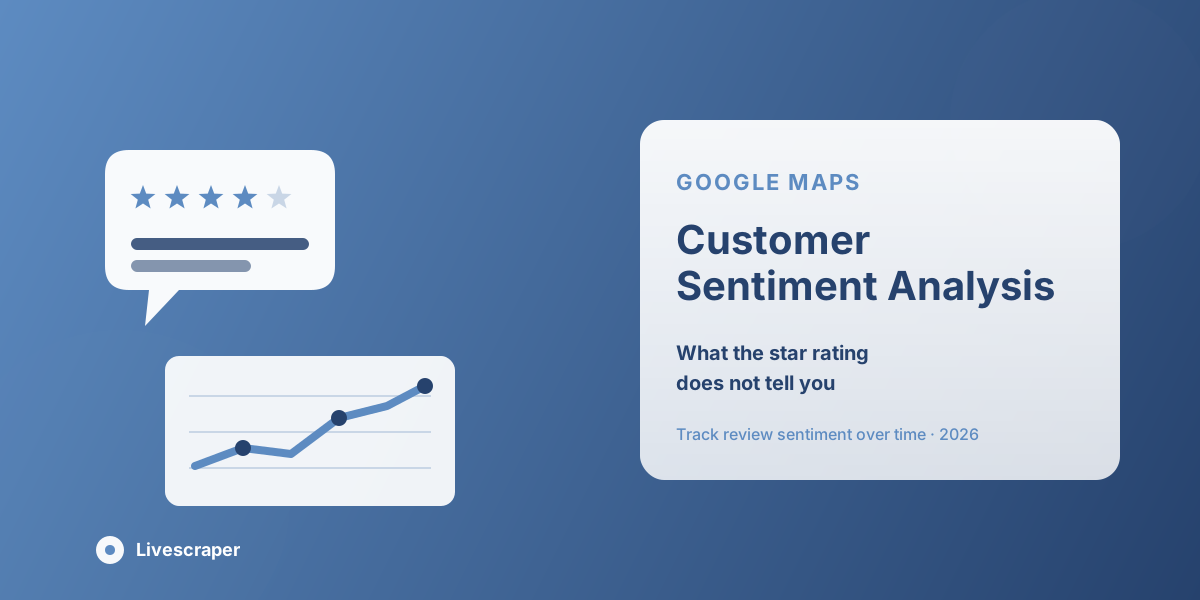
Two businesses can carry the exact same 4.2-star average and mean completely different things by it. One might have consistently solid, unremarkable service. The other might have a loyal core of five-star customers alongside a growing, specific complaint dragging the average down a problem the star rating alone will never surface. The number is the same; what's actually happening with customers is not.
That gap is why sentiment analysis matters as its own discipline, separate from just tracking a rating. A star rating is a summary. The review text underneath it is where the actual customer sentiment lives: the specific language, the recurring frustrations, the features people love enough to mention unprompted. Reading that text at scale turns online reviews from a reputation metric into real review analytics a business can act on.
This guide covers what customer sentiment analysis actually measures, why star ratings alone miss much of the signal, and how to run sentiment analysis on Google reviews at scale using a Google Maps Reviews Scraper.
It's aimed at anyone who's looked at a rating dashboard, seen a number that looks fine, and still suspected something underneath it needs attention. The review text is usually where that suspicion gets confirmed or ruled out.
Customer Feedback vs. Customer Sentiment
These two terms get used interchangeably, but they measure different things. Customer feedback is the direct information a customer provides about what happened, described factually, similar to a support ticket. Customer sentiment is the emotional tone underneath that description: how the customer felt about what happened, not just what occurred.
A review that says "the technician arrived forty minutes late" is feedback: a factual account of an event. Whether that same review reads as mildly annoyed or genuinely furious is sentiment, and that distinction matters because a business prioritises fixing a scheduling issue differently depending on how strongly customers react, not just how often it's mentioned.
Why Star Ratings Alone Miss the Signal
A rating compresses an entire review into a single number, which necessarily discards the reasoning behind it. A 4-star review and a 2-star review might both mention the same underlying issue: one customer treated it as a minor annoyance worth noting, another treated it as a dealbreaker. Averaging ratings across many reviews smooths over that difference entirely.
This means a business can maintain a perfectly respectable average rating while a specific, worsening problem grows underneath it visible only in the review text, not the score. A steady 4.3 average that's actually built from an increasing share of reviews mentioning the same billing complaint is a business with a real, emerging problem that the headline number is actively hiding.
As a concrete example: imagine two months of reviews for the same business, both averaging 4.3 stars. In the first month, the 4-star reviews mention a range of minor, unrelated points: a slightly slow checkout line, a small menu request. In the second month, a growing share of the 4-star reviews mention the exact same issue: a new self-checkout system customers find confusing. The average hasn't moved, but the underlying sentiment has and only reading the text reveals that a specific, addressable change caused it.
What You Need to Analyse Sentiment at Scale
Meaningful sentiment analysis requires more than the star rating most listings display prominently:
- Full review text: not just the score, but what the customer actually wrote, since that's where sentiment and specific themes live.
- Volume: enough reviews to distinguish a real pattern from a single reviewer's individual tone or mood.
- Dates: every review needs a date attached so sentiment can be tracked as a trend over time, not just as a static snapshot.
- A comparison set: pulling reviews across a comparable set of competitors or locations turns one business's sentiment into a benchmark rather than an isolated reading.
Most review platforms, including Google's own interface, only surface a small sample of reviews by default, which is enough to get a general impression, but not enough for reliable sentiment analysis across hundreds or thousands of reviews.
Turning Review Text Into Review Analytics
Once full review text is available, a few consistent techniques turn it into something actionable:
- Theme tagging: grouping reviews around recurring subjects (wait times, pricing, a specific product feature, staff friendliness) rather than reading each one in isolation.
- Trend tracking: tracking how often a theme appears and how it's described month over month, to catch an emerging issue while it's still small.
- Rating-band comparison: splitting reviews by star rating and reading the text within each band separately. What 3-star reviews say is often more useful than what 1-star or 5-star reviews say, since 3-star reviews tend to describe specific, fixable friction rather than extreme reactions.
- Response tracking: checking whether a business (or a competitor) responds to negative sentiment at all, and how, since response pattern is itself a signal.
None of these techniques requires specialised software; a spreadsheet with a theme column and a date column is often enough once the review text itself is available in structured form. The harder part has always been getting complete review text at scale in the first place, which is what makes the extraction step the real bottleneck rather than the analysis that follows it.
Key Features for Sentiment Analysis on Google Reviews
Livescraper's Google Maps Reviews Scraper is built to support this kind of analysis directly:
- Full review extraction: pulls the complete review history for a business, author, star rating, full text, date, language, and owner reply, not the small sample Google's own interface shows by default.
- Filters: narrow a pull to a specific star rating, date range, or keyword to isolate the exact slice of sentiment worth analysing.
- Sort options: most relevant, newest, highest rated, or lowest rated, to focus a read on exactly the reviews that matter for a given question.
- Multi-business pulls: pull reviews for multiple businesses in the same task, supporting sentiment comparison across locations or competitors.
- Structured export: download as CSV, XLSX, or JSON for further analysis in a spreadsheet or BI tool.
Step-by-Step: Running Sentiment Analysis on Google Reviews
Step 1: Create a Free Account
Sign up and start on the free tier; no card required.
Step 2: Pull Full Review History
Open the Google Maps Reviews Scraper and enter the business (or businesses) to pull complete review data for, rather than relying on Google's default sample.
Step 3: Filter by Date Range
Narrow to a specific time window to focus the analysis on current sentiment rather than reviews from years ago.
Step 4: Split by Rating Band
Separate the results into rating bands (1–2 stars, 3 stars, 4–5 stars) to read each group's language independently rather than blending them together.
Step 5: Tag Recurring Themes
Read through each band looking for repeated subjects, and tag or group reviews by theme as patterns emerge.
Step 6: Export and Track Over Time
Download the tagged dataset as CSV, XLSX, or JSON, and re-run the same pull periodically to track whether each theme is growing, shrinking, or staying flat.
Practical Applications
Sentiment analysis built this way supports several distinct uses. Customer retention teams can catch an emerging complaint before it shows up as a rating drop. Product or service teams can separate a loved feature from a merely tolerated one, even when both get mentioned at similar rates. Customer service teams can prioritise fixes based on emotional intensity, not just frequency; a rarely-mentioned but furious complaint may deserve more urgency than a common but mild one. And marketing teams can pull genuinely loved, recurring phrases directly from customer language rather than guessing at messaging that might resonate.
For multi-location businesses specifically, this kind of analysis also supports internal benchmarking: running the same sentiment pull across every location surfaces which ones are handling a shared issue well and which aren't, turning review data into an operational comparison rather than just a marketing metric.
Conclusion
A star rating tells you roughly how customers feel on average. It doesn't tell you what's actually driving that number, whether a specific problem is growing underneath a stable score, or which features customers value enough to mention unprompted. Getting to that level of detail requires the full review text, at scale, filtered and grouped by theme and time, which is what a Google Maps Reviews Scraper is built to make repeatable, turning customer sentiment from a vague impression into structured review analytics.
Frequently asked questions
Is sentiment analysis different from just reading reviews?
The underlying material is the same review text, but sentiment analysis means reading it systematically, at scale, grouped by theme and tracked over time, rather than skimming a handful of reviews for a general impression.
How is sentiment different from the star rating?
The star rating is a single compressed number. Sentiment lives in the review text itself: the specific language and emotional tone a customer used, which a rating alone can't capture or explain.
Do I need every review, or is a sample enough?
More review volume makes patterns more reliable. A small sample can reflect individual variation; a larger set makes it easier to tell a real, recurring theme from a single reviewer's mood.
Can I track sentiment over time rather than just at one point?
Yes, filtering by date range and re-running the same pull periodically shows whether a specific theme is becoming more or less common, which is usually more useful than a single snapshot.
What export formats are available?
Results can be downloaded as CSV, XLSX, or JSON, ready for further analysis in a spreadsheet or BI tool.
Do I need special software to analyse the sentiment, or is reading the text enough?
Reading grouped, filtered review text manually works well at moderate volume and is often more accurate than automated scoring for nuance. At high volume, pairing the extracted text with a keyword or theme-tagging process, manual or automated, makes patterns easier to track