People mix up Google Maps and Google Earth all the time, and honestly, I can't blame them. They're both made by Google. They both show satellite imagery. You can zoom in on your house with either one. So what's the difference?
Quite a lot, actually. Once you understand what each tool was designed to do, the differences become pretty obvious - and you'll know exactly which one to open depending on what you need.
I've spent way too many hours poking around both of these tools, and this guide is basically everything I wish someone had told me upfront. No fluff, just practical stuff.
A Bit of History (It Explains a Lot)
Google Earth actually came first, sort of. It started life as a program called EarthViewer 3D, made by a company called Keyhole Inc. Google bought Keyhole back in 2004 and rebranded it as Google Earth. The whole idea was to let people explore the planet in 3D - like having a virtual globe on your desk that you could spin around and zoom into.
Google Maps launched a year later, in 2005, with a completely different goal. It wasn't about exploring - it was about getting from point A to point B. Directions, traffic, finding the nearest coffee shop. Practical, everyday stuff.
Those different starting points explain basically everything about why these two tools feel so different today, even though they share a lot of the same underlying data.
The Visual Difference: Flat Map vs. 3D Globe
This is the most obvious difference and it matters more than you'd think.
Google Maps shows the world as a flat, 2D map using something called the Mercator projection. If you've seen any web map - Apple Maps, Bing Maps, whatever - it looks like that. It's great for navigation because straight lines on the map roughly correspond to the direction you need to drive. The downside? It distorts sizes. Africa looks about the same size as Greenland on a Mercator map, even though Africa is actually about 14 times bigger.
Google Earth shows you an actual 3D globe. You can spin it, tilt it, see mountains in relief, fly over cities with photorealistic 3D buildings. It's a completely different experience. Sizes and proportions are accurate because, well, it's a globe.
For everyday use - getting directions, finding restaurants - the flat map is better. But if you're doing anything where geography, terrain, or spatial relationships matter, the 3D globe is way more useful.
Where Can You Use Each One?
Both are available in a bunch of places, but there are some differences:
Google Maps
- Any web browser (maps.google.com)
- Android phones - it comes pre-installed
- iPhone/iPad (download from the App Store)
- It's basically everywhere. If you have a phone, you have Google Maps.
Google Earth
- Web browser (earth.google.com) - this used to require a plugin but now it runs natively in Chrome and other browsers
- Android and iOS apps
- Google Earth Pro - a free desktop application with extra features for professionals (more on this later)
The big difference here is Earth Pro, the desktop app. It has measurement tools, demographic data layers, and the ability to import/export KML files. If you do any kind of geographic analysis or professional mapping work, Earth Pro is where the magic happens.
Features: Where Each One Wins
Let me break this down by what you're actually trying to do.
Getting Directions and Navigating
This is Maps, hands down. Turn-by-turn directions for driving, walking, cycling, and public transit. Real-time traffic data. Route alternatives. Estimated arrival times that are scarily accurate. Google Earth doesn't do any of this - it's not a navigation tool.
Finding Local Businesses
Maps again. Google Maps has data on over 200 million businesses worldwide - names, addresses, phone numbers, websites, hours, reviews, photos, menus. It's the most comprehensive business directory on the planet. When you search "pizza near me" at 11pm, that's Google Maps doing the work.
Google Earth? You can see buildings from above. That's about it. No reviews, no hours, no phone numbers.
If you work with business data at scale - lead generation, market research, competitor analysis - tools like Livescraper's Google Maps Scraper let you extract that business data in bulk. Names, emails, phone numbers, ratings, all of it. That's something only Maps can power, not Earth.
Satellite Imagery
Both have satellite imagery, but Earth is better here. Google Earth has a historical imagery timeline - a slider that lets you scroll back through satellite photos from different dates, sometimes going back 20+ years. Want to see what a neighborhood looked like in 2005 before all the development? Earth can show you that. Maps just shows you the most recent imagery.
Earth's imagery also tends to be presented at higher quality with smoother transitions. It's built for exploring imagery, while Maps treats satellite view as a nice-to-have layer on top of the map.
3D Views and Street View
Google Earth has more impressive 3D rendering. In major cities, you get full photorealistic 3D models of buildings - not just extruded shapes, but actual textured buildings that look pretty close to real life. You can "fly" through cities like you're in a helicopter. It's genuinely cool.
Maps has 3D buildings too, but they're simpler and less detailed. Maps does have Street View though, which both platforms can access - those 360-degree ground-level panoramas. For checking out what a street actually looks like before you visit, Street View is incredibly useful regardless of which platform you're using.
Offline Access
Google Maps lets you download map areas for offline use - super handy when you're traveling somewhere with spotty cell service. Google Earth has more limited offline capabilities. If you're going hiking in a remote area, download the Maps area before you leave.
Side-by-Side Comparison
Here's a quick reference table if you want the condensed version:
| Feature | Google Maps | Google Earth |
|---|---|---|
| Primary purpose | Navigation & local search | Exploration & geographic research |
| View type | 2D flat map (Mercator) | 3D interactive globe |
| Turn-by-turn navigation | Yes - driving, walking, cycling, transit | No |
| Business data | 200M+ businesses with full details | Very limited |
| Reviews & ratings | Yes - millions of user reviews | No |
| Historical satellite imagery | No (current only) | Yes - timeline slider, decades of data |
| 3D building models | Basic 3D in some cities | Photorealistic 3D in many cities |
| Street View | Yes | Yes |
| Offline maps | Yes - download regions | Limited |
| Real-time traffic | Yes | No |
| KML/KMZ file support | Limited (via My Maps) | Full support (especially in Pro) |
| Measurement tools | Basic distance measurement | Advanced - area, perimeter, elevation |
| API access | Yes - Maps Platform APIs | Earth Engine (for researchers) |
| Cost | Free (API has paid tiers) | Free (including Earth Pro) |
Why Google Maps Data Is So Valuable for Businesses
This is where things get interesting if you're using these tools professionally rather than just for directions or sightseeing.
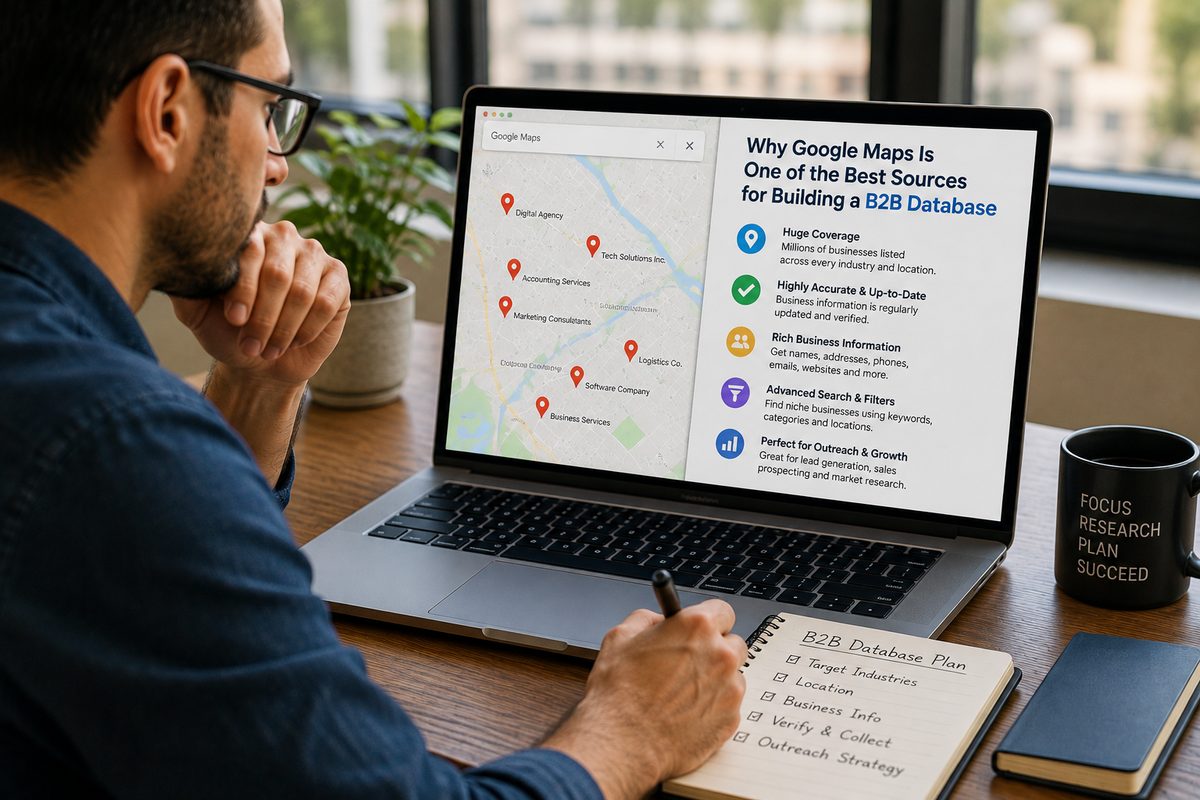
Google Maps sits on top of one of the largest business databases in the world. Over 200 million business listings, each with detailed information - contact details, hours, reviews, categories, photos, you name it. And here's a stat that might surprise you: nearly half of all Google searches have local intent. People are searching for businesses, services, and places near them constantly.
That makes Google Maps data incredibly valuable for things like:
- Lead generation - finding potential customers or partners in specific industries and locations
- Market research - understanding how many competitors exist in an area, what their ratings look like, what customers say about them
- Sales prospecting - building targeted lists of businesses to reach out to
- Reputation monitoring - tracking what people say about your business (and your competitors) in reviews
This is exactly what Livescraper is built for. You can search for any type of business in any location and extract all the data - names, addresses, phone numbers, emails, websites, ratings, review counts - into a clean spreadsheet or JSON file. It's way more efficient than copying things one by one from the Maps interface.
Need customer reviews specifically? The Reviews Scraper pulls every review a business has ever received, not just the 5 that Google's API gives you. And if you're looking for email addresses for outreach, the Email Scraper can find them from business websites automatically.
None of this is possible with Google Earth. Earth is great for looking at the planet, but it doesn't have the business data layer that makes Maps so powerful for commercial use.
What Professionals Actually Use Google Earth For
That said, Google Earth has its own set of power users, and the things they do with it are pretty impressive.
Urban Planning and Development
City planners use Earth to visualize how neighborhoods have changed over time, plan new infrastructure, and understand terrain before breaking ground. The historical imagery timeline is huge for this - you can literally watch a city grow decade by decade.
Environmental Research
Scientists and environmental groups use Google Earth (and especially Google Earth Engine) to track deforestation, monitor coastline erosion, study climate change impacts, and map natural disasters. The planetary-scale satellite data analysis that Earth Engine enables is genuinely remarkable.
Education
Teachers use Google Earth for virtual field trips. Instead of just reading about the Grand Canyon or the Great Wall of China, students can actually fly over them and explore the terrain. The Voyager feature in Google Earth has curated tours created by scientists, documentarians, and storytellers.
Real Estate
Real estate professionals use Earth to evaluate land, understand surrounding terrain, check flood zones, and study how an area has developed over time. The measurement tools in Earth Pro are particularly useful for calculating lot sizes and distances.
Google Earth Pro - The Hidden Gem Most People Don't Know About
Quick story: Google Earth Pro used to cost $399 per year. Then in 2015, Google just... made it free. And a lot of people still don't know it exists.
It's a desktop application (Windows, Mac, Linux) that has a bunch of features the regular web version doesn't:
- Historical imagery timeline - scroll through satellite images from different years
- KML/KMZ file support - import and export geographic data files used by GIS professionals
- Advanced measurement tools - measure distances, areas, and perimeters with precision
- Demographic data layers - population density, income levels, and other census data overlays
- High-res printing and saving - export images up to 4800x2400 pixels
- Movie maker - record flyover tours and export as video
And here's a fun bonus: Earth Pro lets you explore the Moon, Mars, and the night sky. Not exactly practical for most people, but it's pretty cool to zoom around Mars' surface.
For Developers: Maps Platform vs Earth Engine
If you're a developer, these two products are aimed at completely different audiences.
Google Maps Platform
This is the suite of APIs that powers most location-based apps and websites. You've used products built on it even if you didn't realize it - any app with an embedded map, location search, or driving directions is probably using the Maps Platform under the hood. The main APIs include:
- Places API - search for businesses and points of interest
- Directions API - calculate routes between locations
- Geocoding API - convert addresses to coordinates and vice versa
- Maps JavaScript API - embed interactive maps on your website
Pricing is pay-per-use, typically around $32-40 per 1,000 requests depending on the API. There's a $200/month free credit which covers moderate usage.
One thing worth noting: the Places API only returns 5 reviews per business. If you need more than that - and for most data projects, you do - Livescraper's Reviews Scraper grabs all of them.
Google Earth Engine
This is a completely different beast. Earth Engine is a planetary-scale platform for geospatial analysis. It's used by researchers, scientists, and NGOs to analyze satellite imagery at massive scale - think tracking global deforestation or monitoring crop health across entire continents.
It's free for academic and research use, with a commercial tier for businesses. The learning curve is steep, but if you need to analyze geographic data at scale, nothing else really compares.
So Which One Should You Use?
Here's the honest answer: it depends entirely on what you're trying to do. And in many cases, you'll use both - just for different tasks.
Use Google Maps When You Need To...
- Get directions somewhere
- Find a nearby business, restaurant, or service
- Look up reviews, hours, or contact info for a business
- Extract business data for lead generation or research (using tools like Livescraper)
- Build an app that needs location features
- Check real-time traffic conditions
- Download maps for offline use while traveling
Use Google Earth When You Need To...
- See what a location looked like years ago (historical imagery)
- Explore terrain, elevation, and geographic features in 3D
- Create a presentation or flyover tour of a location
- Work with KML/KMZ files for GIS projects
- Measure land areas, distances, or elevations precisely
- Do environmental or geographic research
- Take virtual field trips with students
For most people, most of the time, Google Maps is the tool you want. It handles the everyday things - navigation, finding businesses, checking reviews. Google Earth is the specialist tool you pull out when you need that 3D perspective, historical data, or geographic analysis capability.
And if you're doing anything business-related with Google Maps data - whether that's building prospect lists, monitoring competitors, or analyzing customer reviews - Livescraper makes it a whole lot easier than doing it manually. Worth checking out if you haven't already.
Frequently asked questions
What is the main difference between Google Maps and Google Earth?
Google Maps is built for everyday navigation and local business discovery - directions, traffic, finding restaurants, checking reviews. Google Earth is designed for geographic exploration and research, featuring a 3D globe, historical satellite imagery, and advanced measurement tools. Think of Maps as your GPS and Earth as your virtual globe.
Is Google Earth Pro still free?
Yes, Google Earth Pro has been completely free since January 2015. It used to cost $399 per year, but Google made it available at no charge. You can download it for Windows, Mac, or Linux and get access to professional features like historical imagery, KML file support, demographic data overlays, and advanced measurement tools.
Can I get driving directions on Google Earth?
No. Google Earth doesn't offer turn-by-turn navigation or driving directions. It's designed for exploration and geographic research, not for getting from one place to another. If you need directions, real-time traffic, or route planning, use Google Maps instead.
Which has better satellite imagery, Google Maps or Google Earth?
Both use the same satellite imagery sources, but Google Earth presents it better. Earth offers higher quality rendering, smoother transitions, and most importantly, a historical timeline feature that lets you view satellite photos from different dates going back over 20 years. Google Maps only shows the most recent satellite imagery.
Can I use Google Maps for business lead generation?
Absolutely. Google Maps has data on over 200 million businesses worldwide, including names, addresses, phone numbers, websites, reviews, and ratings. Tools like Livescraper can extract this data in bulk for lead generation, market research, and competitor analysis. Google Earth doesn't have this business data layer.
Will Google Maps and Google Earth ever merge into one product?
It's unlikely anytime soon. While they share some underlying technology and data, they serve fundamentally different purposes. Maps is optimized for quick, practical tasks like navigation and local search, while Earth is built for in-depth geographic exploration and research. Merging them would make both tools less focused and harder to use.