Most B2B databases are built from data that was true once. A purchased list, a scraped directory, a spreadsheet inherited from someone who left the company two years ago the businesses on it may have moved, closed, rebranded, or simply stopped being a fit. Sales and marketing teams end up spending real time qualifying a list before they can even start prospecting against it.
Google Maps solves a different problem than most data sources, because it isn't a static list at all. It's a live, constantly-updated record of businesses that exist right now, kept current by the businesses themselves and by the people searching for them. That combination of scale plus freshness is what makes it one of the strongest raw sources available for building a B2B lead generation database, provided you have a way to turn a Maps search into structured, exportable data.
This guide covers why Google Maps functions as such a strong source of business intelligence, what separates a useful company database from a plain list of names, and how to build one from Google Maps using Livescraper.
It's aimed at anyone assembling a list for sales prospecting, market research, or territory planning who has run into the limits of a purchased database coverage gaps, stale contact details, or categories that don't match the actual target market and wants a source that can be shaped around their own criteria instead.
Why Google Maps Is a Strong Source for B2B Data
A few properties set Google Maps apart from a typical purchased database or static directory:
Freshness: a business only shows up accurately if it's still operating, since closures and moves tend to surface in Maps faster than in most third-party lists.
Breadth: businesses across nearly every category and country maintain a Maps presence, which means public business records exist for markets that many B2B databases simply don't cover.
Signal: every listing carries context beyond a name and address: category, rating, review volume, whether a website is listed, and how recently the profile was updated. That context is what turns a list of businesses into usable business intelligence rather than just contact details.
None of that is automatically a database, though. Google Maps is a source; the work of building a B2B lead generation database is turning that source into structured, filterable, exportable records.
What Makes This "Business Intelligence" Rather Than Just a List
The details attached to a Maps listing double as qualifying signals once you know how to read them. Review count, for instance, is a reasonable proxy for business size and activity level; a business with a handful of reviews is likely a small, newer operation, while one with hundreds is running at real volume. Neither is automatically a better or worse prospect; it just changes which pitch fits.
Whether a business has a website listed at all is its own signal. A business with no website is behind on basic digital infrastructure, which is either a disqualifier or the exact opportunity, depending on what's being sold. Web design agencies, software vendors, and digital marketing firms often filter specifically for this. Profile completeness, rating, and category work the same way: each one narrows a broad category search down toward the businesses that actually match an ideal customer profile, rather than everyone who happens to appear in the results.
Put together, these signals let two teams targeting the exact same category and city end up with meaningfully different databases: one selling premium services might filter for a strong rating and an established web presence, while one selling foundational digital tools might filter specifically for the businesses missing that infrastructure. Neither list is more correct; they're built around different definitions of a good prospect.
From Public Business Records to a Structured Company Database
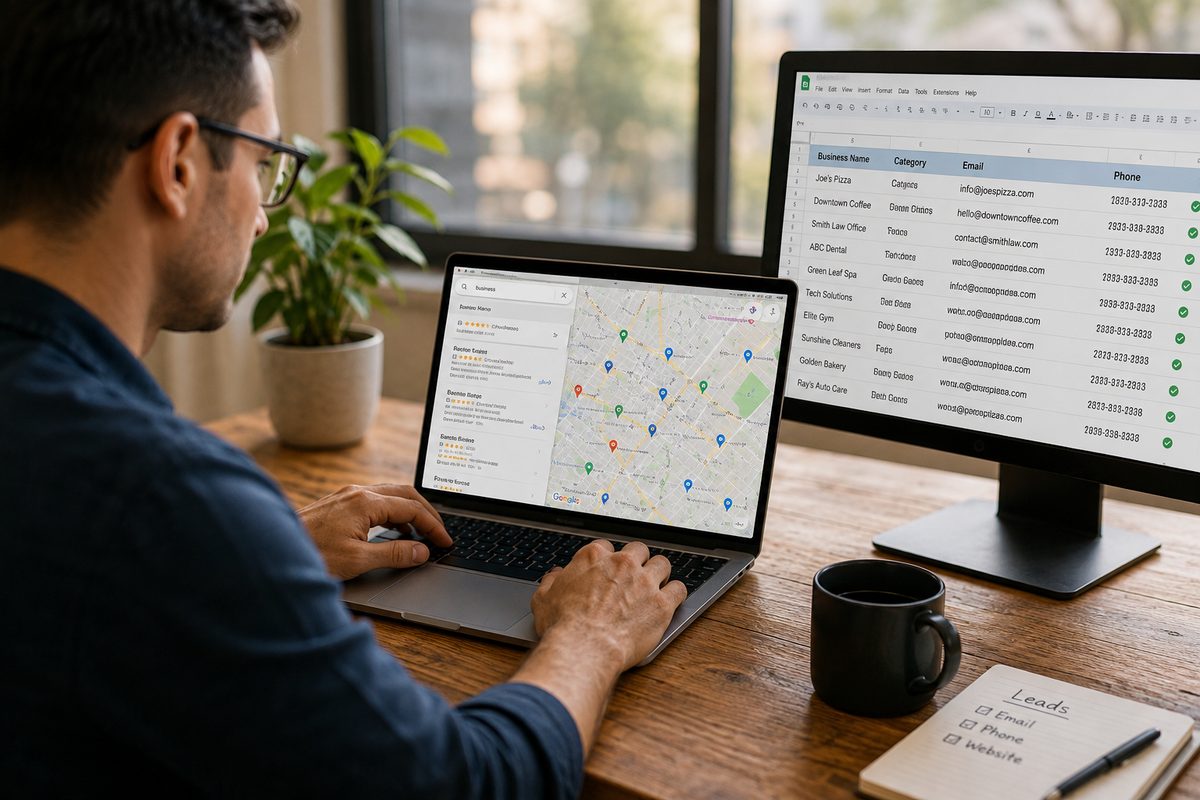
Turning Google Maps into a usable company database follows a consistent pattern regardless of which tool does the work:
Search Google Maps by category and location to pull the relevant public business records.
Filter the raw listing data by rating, review count, business status, and website presence to isolate the businesses that fit the target profile.
Enrich the filtered list with contact details, typically an email pulled from the business's own website so the database is usable for outreach, not just reference.
Export the result in a structured format that plugs into a CRM or sales tool.
Doing this manually, business by business, is exactly the kind of task that doesn't scale, which is why this is one of the clearest cases for a Google Maps Scraper rather than manual research.
Key Features for Building a B2B Database from Google Maps
Livescraper covers this workflow with a few purpose-built, no-code tools:
Google Maps Data Scraper: searches Google Maps by category, location, or a pasted list of cities, and returns structured public business records: name, category, address, phone, website, rating, and review count.
Email Scraper: adds a verified email pulled directly from each business's own website, rather than a guessed address.
Filters (rating, status, website presence): narrow the raw pull down to businesses matching a specific profile before spending enrichment credits on records that won't convert.
Structured export: download the finished dataset as CSV, XLSX, or JSON for a CRM or sales tool.
Livescraper also has a purpose-built B2B Lead Generation Database, a curated set of pre-built business records, but at the time of writing it's in early access rather than fully self-serve. The workflow below builds the same outcome today using the live Google Maps Data Scraper and Email Scraper, which means the database is assembled to your exact filters rather than pulled from someone else's predefined set.
Step-by-Step: Building a B2B Database from Google Maps with Livescraper
Step 1: Create a Free Account
Sign up and start on the free tier; no card required for the first batch of records.
Step 2: Search by Category and Location
Open the Google Maps Data Scraper and enter the business category and target location, or paste a list of cities for a broader regional pull.
Step 3: Filter to Your Ideal Customer Profile
Apply filters for rating, review count, business status, and whether a website is listed to narrow the raw results to businesses that fit the target profile.
Step 4: Enrich With Verified Emails
Turn on the Email Scraper step so each qualifying business's website is visited and any published email address is added to the record.
Step 5: Review the Dataset
Preview the combined results listing data plus enriched contact details before committing to the full export.
Step 6: Export to Your CRM
Download the finished database as CSV, XLSX, or JSON and import it into a CRM or sales prospecting tool.
Staying on the Right Side of Data Compliance
Building a database from public business records still comes with responsibilities. Google Maps listings are public business information, not personal data in most jurisdictions, but the way that data gets used- cold email outreach, cold calling is still subject to applicable rules like CAN-SPAM, CASL, or GDPR depending on where the businesses are located. Keeping records limited to business-level contact details (a general business email or listed phone number, not a personal one) and respecting opt-out requests keeps a Google Maps–built database usable long-term rather than creating deliverability or compliance problems down the line.
Using a Google Maps–Built Database for Sales Prospecting
A database built this way supports sales prospecting differently than a purchased list, because the filtering happens before enrichment rather than after a list has already been bought. A rep working a territory can pull every business in a category and city, filter down to the businesses matching a specific profile, say, an active website but a below-average rating, or no website at all and enrich only that narrowed set. The result is a smaller, more relevant list rather than a large, generic one that needs to be qualified after the fact.
Because the underlying source is Google Maps rather than a static purchase, re-running the same search later reflects whatever has changed since new businesses have opened, others have closed, and details on the rest have been updated. That's a meaningful difference for territory planning specifically: a database that's refreshed quarterly stays aligned with which businesses in a territory are actually still active, rather than accumulating dead records that inflate the list without adding real prospects.
Conclusion
Google Maps works as a B2B data source precisely because it isn't static: it's kept current by the businesses on it and carries built-in signals rating, review count, website presence that most purchased lists never include. Turning that source into an actual B2B lead generation database just requires a structured way to search, filter, enrich, and export it. That's what a Google Maps Scraper like Livescraper's is built to do, producing a company database shaped around a specific target profile rather than a generic, one-size-fits-all list.
Frequently asked questions
Is Google Maps data reliable enough for B2B prospecting?
Google Maps listings are kept current by the businesses themselves and by ongoing user activity, which tends to make basic details whether a business is open, its category, its rating more reliable than a static, infrequently updated directory.
What's the difference between scraping Google Maps and buying a B2B database?
A purchased database reflects when the provider last refreshed it, and its categories and coverage are fixed by that provider. Scraping Google Maps directly builds a company database around the exact categories, locations, and filters chosen, refreshed whenever the search is run again.
Is Livescraper's B2B Lead Generation Database available now?
It's currently in early access rather than fully self-serve. The Google Maps Data Scraper and Email Scraper cover the same goal today through a live, self-serve workflow.
How do I know which filters actually matter for my target profile?
It depends on what's being sold. Website presence, rating, and review count are common starting filters because they proxy for digital maturity and business size, but the right combination comes from defining the ideal customer profile before running the search, not after.
What export formats does Livescraper support?
Results can be downloaded as CSV, XLSX, or JSON, ready for a CRM or sales prospecting tool.
Is it compliant to build outreach lists from Google Maps data?
Google Maps listings are public business information, but how the data is used afterwards still needs to follow applicable rules like CAN-SPAM, CASL, or GDPR based on where the businesses are located. Sticking to business-level contact details and honouring opt-outs keeps a database usable long-term.