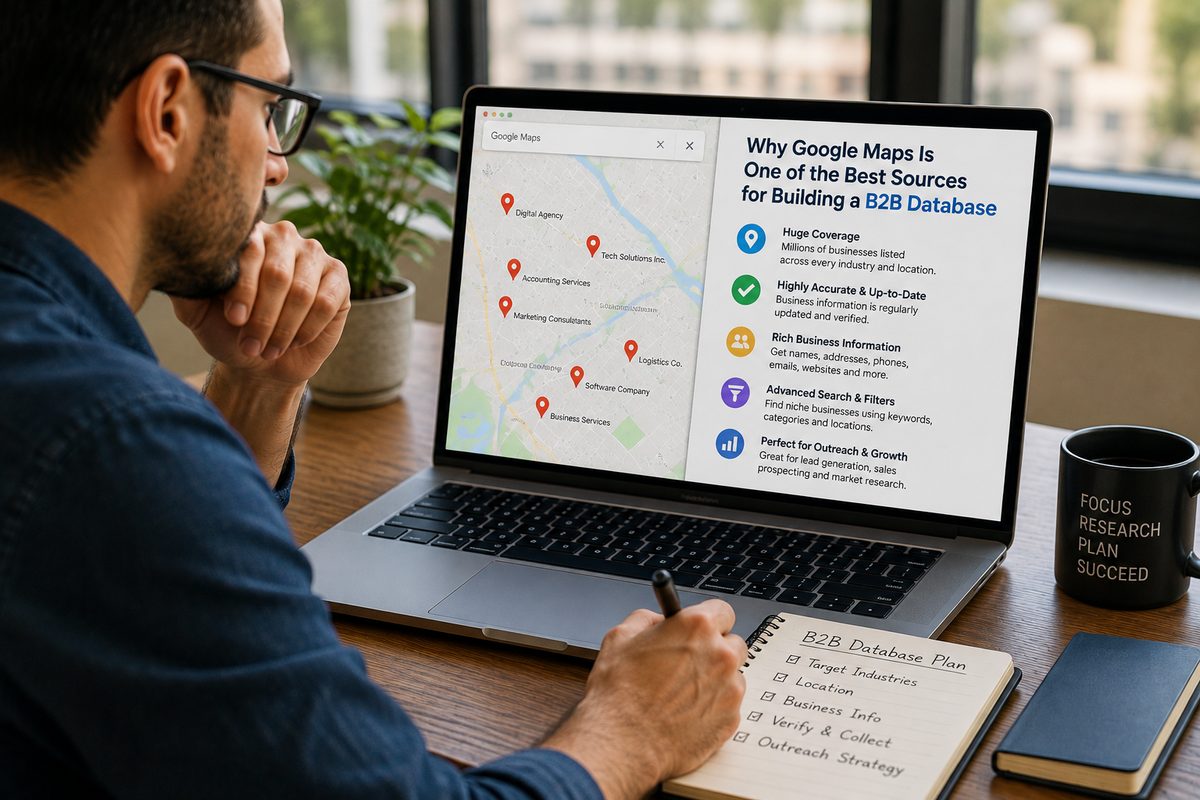
You can get real Google Maps data in Claude by connecting Livescraper as an MCP connector. Once it is connected, you ask in plain language — "scrape all dentists in Austin, Texas and give me the CSV" — and Claude creates a genuine Livescraper scraping task, checks its progress and brings back the results: a download link or the rows themselves. The businesses, phone numbers, ratings and reviews come from a live collection run, not from what the model happens to remember.
Setup takes a few minutes: copy your API key from the Livescraper dashboard, add https://mcp.livescraper.com/mcp as a custom connector in Claude Desktop or Claude Code, and paste the key on the authorize screen. The full walkthrough with screenshots is on the Connect Livescraper to Claude page. This guide explains what MCP is, what the connector can do, how to set it up safely, and gives example prompt recipes for lead lists, competitor review analysis and market sizing — along with the limits you should know about before you rely on it.
What is MCP, and why does it matter for business data?
MCP, the Model Context Protocol, is an open standard for connecting AI assistants to outside tools and data sources. A service publishes an MCP server that describes a set of tools — each with a name, a purpose and the inputs it accepts — and an AI client such as Claude can call those tools during a conversation. Instead of you copying data into the chat, the assistant fetches it through the connector, under your account and with your permission. Think of it as a standard plug: any MCP-capable client can use any MCP server without a custom integration for each pair.
For business data this matters because language models do not have a reliable list of the businesses in a city. Ask a model on its own for "every physiotherapy clinic in Leeds with a rating above 4.5" and you will get a confident answer that mixes real clinics, closed ones and plausible-sounding names that never existed, with phone numbers you cannot trust. The model is predicting text, not reading Google Maps. With an MCP server for business data connected, the same request becomes a scrape: the assistant hands your request to a tool that collects the current public listings, and the answer is built from rows that came back from that run.
What you can do with Google Maps data in Claude
The connector lets Claude create scraping tasks, expand a plain-language prompt into queries, check status and pull results — all inside the conversation and scoped to your account. Once connected, Claude can use these tools:
| Tool | What it does |
|---|---|
create_maps_task | Scrape Google Maps places |
plan_maps_task | Turn a prompt into a city-by-city query plan |
create_reviews_task | Scrape Google reviews |
create_email_task | Emails, phones and socials from domains |
get_task_status | Check progress and record counts |
get_task_results | Download link or inline rows |
list_tasks | Your recent tasks |
get_credit_balance | Remaining credits |
You do not call these by name. You describe what you want, and Claude picks the tools: a request for "every vet clinic in Ohio" goes through plan_maps_task to split the state into city-level queries, then create_maps_task to run them, then get_task_status and get_task_results to collect what came back. The tasks are ordinary Livescraper tasks on your account, which is why list_tasks can show them back to you later.
Those three task types map onto three products: the Google Maps Data Scraper for business listings, the Google Maps Reviews Scraper for review text and ratings, and the Email & Contact Scraper for emails, phones and social profiles found on business websites.
How to connect Livescraper to Claude
You need three things: a Livescraper account (you can sign up free — 500 rows included, no card), Claude Desktop on Mac or Windows or Claude Code (the command-line tool), and your Livescraper API key.
Step 1: Get your API key
Sign in to your Livescraper dashboard, open Profile Settings, and copy your API key from the "Use with Claude" section.
Step 2a: Connect in Claude Desktop
- Open Settings (the gear icon) and choose Connectors in the left sidebar.
- Click Add custom connector at the bottom of the list.
- Enter the name
Livescraperand the URLhttps://mcp.livescraper.com/mcpexactly. - Click Add, then Connect. A browser window opens the "Connect Livescraper" screen.
- Paste your API key and click Authorize.
- Back in Claude, the tools icon now shows Livescraper with its tools.
Step 2b: Connect in Claude Code
Add the remote connector with one command. The -s user flag makes it available in every project:
claude mcp add --transport http -s user livescraper https://mcp.livescraper.com/mcp
Then, inside Claude Code, run /mcp, select livescraper, choose Authenticate, paste your API key on the authorize screen that opens in your browser, and click Authorize. /mcp should now show it as connected. If the claude command is not found, add the connector to ~/.claude.json under mcpServers with type http and the same URL, then restart Claude Code.
Step 3: Check it works
Ask: "Using Livescraper, how many credits do I have left?" Claude should call get_credit_balance and answer with your real balance. If it answers without using the tool, mention Livescraper by name in the prompt — that tells Claude to reach for the connector.
If the browser window did not open in Claude Desktop, fully quit the app from the system tray (closing the window is not enough), reopen it and click Connect again. If the tools stop responding later, open the connector and click Connect or Authenticate again to refresh the session. You do not need to find Livescraper in a connector directory — adding it by URL is the supported way to use it.
Keeping your API key safe
Your API key scopes access to your account and your credits, so treat it like a password.
- Paste it only on the authorize screen. The connector asks for the key once, on the "Connect Livescraper" page. There is no reason to paste it into a chat message, a prompt, a shared document or a project file.
- Do not commit it. If you script anything around the Livescraper API, keep the key in an environment variable or a secrets store, never in a repository.
- Regenerate if in doubt. You can regenerate the key at any time from the same Profile Settings screen. If a key ever lands somewhere public, regenerate it immediately and reconnect.
- Watch your balance. Because every task spends credits, asking Claude for your balance before and after a large job is a cheap habit that catches surprises.
How to scrape Google Maps with Claude: prompt recipes
The prompts below are examples, not fixed commands — adapt the categories, places and columns to your own job. Each one names Livescraper so Claude uses the connector rather than its own knowledge, and each asks for something checkable.
Recipe 1: A local lead list
Example prompt: "Using Livescraper, plan a Google Maps scrape of physiotherapy clinics in the ten largest cities in Ohio. Show me the city-by-city query plan before running anything."
Claude uses plan_maps_task and shows you the queries. Review them — this is where you catch a missing city or a category that is too broad — then reply: "Run it, and when it finishes give me the download link." Once you have the file, you can continue: "From those results, how many clinics have no website listed? Give me the names of the ones with more than 50 reviews."
Clinics with a website are candidates for the next step: "Using Livescraper, run an email scrape on the website domains from that task." Claude uses create_email_task to collect emails, phones and social profiles from those sites. Our guide to building hyper-targeted prospect lists covers how to segment a list like this once you have it.
Recipe 2: Competitor review analysis
Example prompt: "Using Livescraper, find the five highest-rated Italian restaurants in central Manchester, then scrape their Google reviews."
That is two tasks: a Maps task to identify the restaurants, then a reviews task with create_reviews_task. When the reviews are back, ask Claude to work with them: "Group the complaints in the one- and two-star reviews by theme and tell me which theme comes up most for each restaurant. Quote two short examples per theme." Because the review text came from the scrape, each quote can be checked against the file. For a deeper method, see how AI can analyse thousands of Google reviews and using Google Maps reviews for competitor analysis.
Recipe 3: Market sizing
Example prompt: "Using Livescraper, scrape all gyms and fitness studios in Denver, Colorado Springs and Boulder. When it's done, count them by city, and tell me the median rating and median review count in each city."
The counts and medians come from the rows, which makes this a fast first pass at a market sizing question — how saturated is each city, how established are the incumbents. Treat Claude's arithmetic as a draft: open the file and check the totals before they go into a deck. Our guide to sizing a local market with Google Maps data shows how to turn counts into a defensible estimate.
Recipe 4: Housekeeping
Some of the most useful prompts are boring ones: "Using Livescraper, list my recent tasks and their status," "Is the gyms task finished yet?" or "Give me the download link for yesterday's dentist scrape." These use list_tasks, get_task_status and get_task_results, and save you a trip to the dashboard.
What it costs
A scrape started from Claude is a normal Livescraper task, billed at the same rates as one started in the dashboard or through the API. On a new account the first 500 rows are free, one-time, with no card required. After that the Google Maps Data Scraper costs $0.002 per row — roughly $2 per 1,000 businesses — and Google reviews are $0.002 per review. Current rates for every service are on the pricing page.
To put a number on it: say a lead list recipe returns 3,000 clinics. After the free tier, that is about $5 of Maps data. The conversation with Claude happens on your Claude plan; the scrape is billed to your Livescraper credits. Ask for your credit balance before a large job if you want to be sure you have enough.
Limits to know before you rely on it
Large jobs run in the background
Scraping takes real time. A few hundred businesses come back quickly; a state-wide pull or a reviews scrape across many locations runs as a background task, and long reviews pulls can take several minutes. Claude starts the task and checks its status — it does not sit and wait forever. If a job is still running, ask again later ("is the gyms task finished?") or ask Claude to list your recent tasks and fetch the result once it reports completed.
The file is the source of truth
get_task_results returns either a download link or inline rows. For a small task, Claude can read the rows directly. For a large one, the full dataset is far bigger than what fits comfortably in a conversation, so Claude works from the link and whatever portion it reads. That makes it good at summarising, spotting patterns and drafting the next step, but the downloaded file — CSV, Excel or JSON — is the record. Use the file for anything that matters: importing into a CRM, sending outreach, reporting numbers to someone else.
Claude can still make mistakes
The data comes from a real scrape, but the summary is written by a model. It can miscount, skip rows when reading a long result, or over-generalise from a handful of reviews. Ask for specifics you can check — counts, names, quoted text — and spot-check them against the file. If an answer matters, ask Claude to show which rows it is based on.
Data use rules still apply
The connector collects public business data, the same as the dashboard. What you do with it afterwards — especially emailing or calling the businesses — is governed by data protection and marketing rules such as GDPR in Europe, and you should respect the terms of the sites involved. Our article on whether scraping Google Maps is legal walks through the main questions. This is general information, not legal advice.
Going further: from conversation to pipeline
The connector is ideal for exploration and one-off jobs: you can go from a vague question to a checked dataset in a single conversation. When a job becomes routine — the same categories every month, results flowing into a database — move it to the Livescraper API, which exposes the same Maps, Reviews and Email scrapers as REST endpoints with official SDKs for Python, Node and PHP. Many teams use both: Claude to design the query and check the output, the API to run it on a schedule. If you are building a structured dataset for AI tools to use later, our guide to an AI-ready business database from public data covers how to shape and maintain it.
Conclusion
Getting Google Maps data in Claude stops being guesswork once Livescraper is connected over MCP. Copy your API key, add the connector by URL in Claude Desktop or Claude Code, authorize, and then ask in plain language for businesses, reviews and contact details. Behind each request is a normal Livescraper task — billed at normal rates, tracked on your account, and delivered as a file you can download. Use Claude to plan the queries, run them and make sense of the results; use the file as the record. The step-by-step setup is on the Connect Livescraper to Claude page, and the Google Maps Data Scraper page lists every field a Maps task returns.
Related reading: How AI Can Analyze Thousands of Google Reviews, How to Build an AI-Ready Business Database Using Public Business Data, How to Size a Local Market Using Google Maps Business Data.
Frequently asked questions
Can Claude access Google Maps data?
Not reliably on its own, since the model cannot read Google Maps. With the Livescraper connector added over MCP, Claude can create real scraping tasks and return the collected results.
How do I connect Livescraper to Claude?
Copy your API key from Profile Settings in the Livescraper dashboard, add https://mcp.livescraper.com/mcp as a custom connector in Claude Desktop or Claude Code, then paste the key on the Connect Livescraper authorize screen.
What can Claude do through the Livescraper connector?
It can plan and create Google Maps tasks, scrape Google reviews, find emails, phones and socials from domains, check task status, fetch results as a download link or inline rows, list recent tasks and show your credit balance.
How much does it cost to scrape Google Maps with Claude?
Each request runs as a normal Livescraper task at normal rates. New accounts get 500 rows free, one-time, then Google Maps data is $0.002 per row, roughly $2 per 1,000 businesses.
Can Claude handle very large scrapes?
Yes, but large jobs run in the background, so Claude starts the task and checks its status rather than waiting. For big results, Claude summarises while the downloaded file remains the source of truth.
Is my API key safe when I use it with Claude?
Paste it only on the Livescraper authorize screen, never into a chat or shared file. The key scopes access to your account and credits, and you can regenerate it any time from Profile Settings.