A bought database can hand a sales team thousands of contacts overnight. What it can't guarantee is that those contacts are still worth calling. A list of 5,000 records can still be a bad list if a large share of the emails bounce, the companies don't match the actual target market, or half the records are missing a website, phone number, or category the details that would have shown they weren't a fit before any outreach went out.
The alternative isn't more manual research; it's building the list from fresh public business data first, adding contact details second, and only then sending it to outreach. That order matters more than most teams realise, and it's the difference between a list that performs and one that just looks big in a spreadsheet.
This guide walks through that process step by step, and how to run it using Livescraper instead of paying a B2B Data Provider for a static list.
Why More Contacts Doesn't Mean a Better List
It's easy to judge a lead list by size; more rows feel like more opportunity. But a bought list optimises for volume and speed of delivery, not fit. The provider assembled it once, on their schedule, using their own definition of the category. By the time it reaches an outreach tool, a meaningful share of the businesses may have closed, moved, or simply never matched the buyer's actual target market in the first place.
A smaller list built around a specific industry, location, and set of qualifying signals current business status, an active website, a rating that fits the target profile will consistently outperform a larger one assembled by someone else's criteria. Quality here isn't a nice-to-have; it's what determines whether the list is worth the time a sales team spends working it.
This is the core argument for building rather than buying: a purchased list optimises for how many records it can deliver, while a list built to a defined profile optimises for how many of those records are actually worth a rep's time. Those are different goals, and only one of them shows up in outreach results.
Step 1: Define the Businesses You Want to Reach
Before collecting anything, get specific about industry, location, and category, the same discipline a B2B Data Provider would apply when scoping a custom list, except done on your own terms. Vague criteria like "local businesses" produce a list that needs to be re-qualified later; specific criteria like "HVAC contractors in three named counties with an active website" produce sales intelligence you can act on immediately.
This step also decides what a "good" record looks like before any data is collected, whether a website is required, whether a minimum rating matters, and whether recently closed businesses should be excluded outright. Deciding this upfront means the collection step can filter as it goes, rather than producing a large raw pull that still needs to be manually sorted afterwards.
Step 2: Collect Fresh Public Business Data Before Looking for Emails
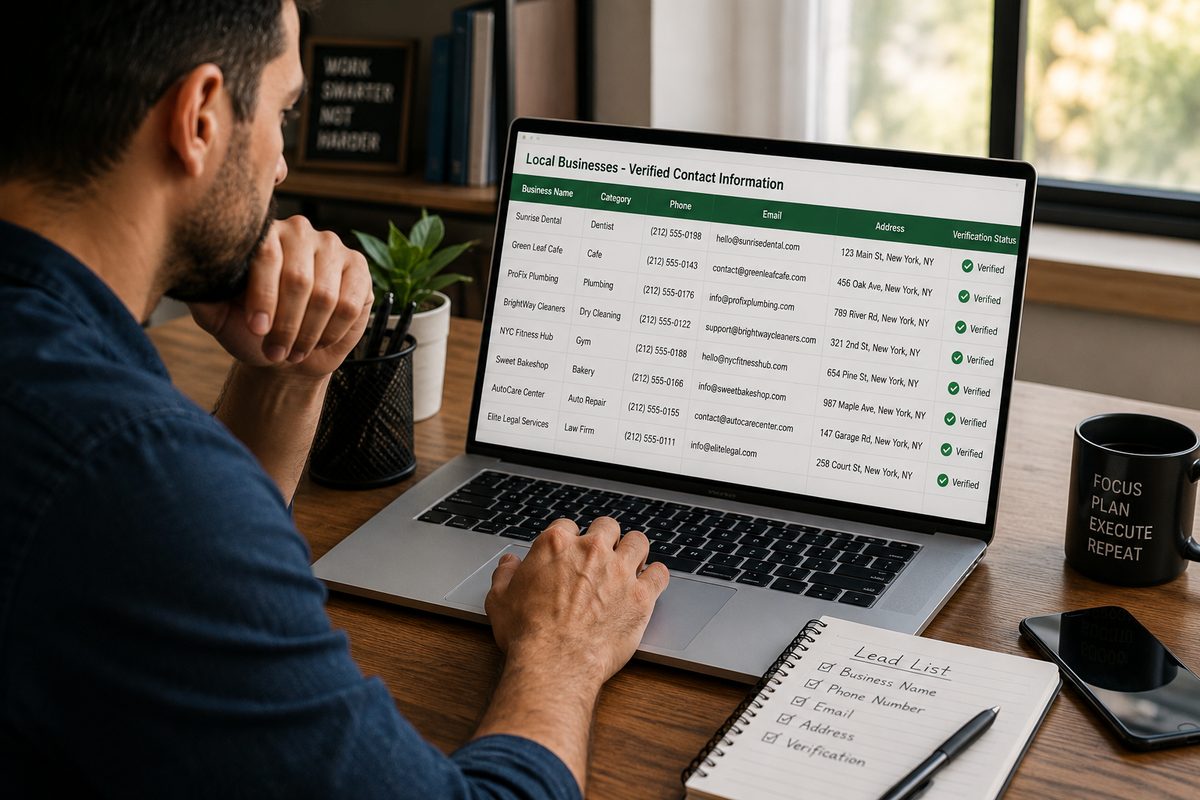
Contact details are only useful attached to accurate company data: business name, category, address, phone number, website, and current business status. Collecting this first, before adding any email, gives an early read on quality: how many businesses in the category are still open, how many have a website at all, and how many meet whatever bar has been set for a qualified prospect. Chasing emails before confirming this baseline means enriching records that may never have been a fit.
As a practical example: a search for a niche category in a mid-sized city might return several hundred businesses, but only a fraction will have an active website, and it's only that fraction that's worth enriching with an email in the first place. Collecting company data first surfaces that ratio immediately, before any enrichment credits are spent.
Step 3: Add Contact Details and Enrich the List
Once the underlying company data is confirmed, lead enrichment adds what's actually needed for outreach: an email address (ideally pulled from the business's own website rather than guessed), and where available, additional public business data like social profiles. This is also the point to keep a source reference on each record where the data came from and when so the list can be audited or refreshed later.
Step 4: Verify and Clean the List
A list is only as strong as its weakest records. Before anything reaches a CRM or outreach tool:
Run emails through validation to filter out addresses likely to bounce, including spam traps, disposable addresses, and catch-all domains.
Remove weak records missing a website, showing as permanently closed, or falling outside the target category rather than keeping them for the sake of list size.
Check for duplicate entries, especially when a search spans overlapping categories or nearby cities.
This step is what separates a list of verified B2B leads from a list that merely looks complete. It's tempting to skip cleaning when a list already looks large enough, but a smaller list with a high proportion of clean, deliverable records will consistently produce better outreach results than a larger one padded with records that were never going to respond.
Step 5: Segment Before Outreach
A cleaned list still isn't one-size-fits-all. Segmenting by category, location, business size (using review count as a rough proxy), or a specific qualifying signal — no website, a below-average rating, recent negative reviews — lets each segment receive a message actually relevant to its situation, rather than one generic pitch sent to every record on the list.
For example, businesses with no website at all are a fundamentally different prospect for a web design agency than businesses with an outdated site — the first needs to be convinced a website matters at all, the second needs to be convinced their current one is holding them back. Segmenting before outreach means each message can make the right case instead of a generic one.
Doing This With Livescraper Instead of a B2B Data Provider
Livescraper covers this entire process — company data, enrichment, verification, export — in one workspace rather than requiring a separate purchase from a B2B Data Provider for each piece:
Google Maps Data Scraper: collects business name, category, address, phone, website, status, rating, and review count by category and location.
Email Scraper: adds an email pulled from each business's own website rather than a guessed pattern.
Email Validation: filters out likely bounces before the list reaches an outreach tool.
Filters (status, rating, website presence): narrow the initial pull to the target profile before spending enrichment credits.
Livescraper also offers a purpose-built B2B Lead Generation Database of pre-assembled records, currently in early access rather than fully self-serve. The workflow below builds the equivalent outcome today, without buying anything, using the live Google Maps Data Scraper, Email Scraper, and Email Validation together.
Step-by-Step: Building the List in Livescraper
Step 1: Create a Free Account
Sign up and start on the free tier; no card required for the first batch of records.
Step 2: Collect Company Data First
Run the Google Maps Data Scraper by category and location to pull business name, address, phone, website, status, and rating before adding any contact enrichment.
Step 3: Filter to the Target Profile
Apply filters for business status, rating, and website presence to remove records that were never going to be a fit.
Step 4: Enrich With Emails
Run the filtered list through the Email Scraper to add a verified email pulled from each business's own website.
Step 5: Validate and Clean
Send the enriched list through Email Validation to flag likely bounces, then remove any remaining records missing key fields.
Step 6: Export and Segment
Download the finished list as CSV, XLSX, or JSON, then segment it in your CRM or outreach tool by category, location, or qualifying signal before sending anything.
How This Compares to Buying From a B2B Data Provider
A B2B Data Provider sells convenience: pay, and a list arrives. What that list can't offer is control over freshness or fit; it reflects whatever the provider had on hand at the time of the last refresh, built to their category definitions rather than the buyer's. Building the list directly flips that trade: slightly more setup time, in exchange for a list that matches the exact target profile and reflects what's publicly true right now rather than whenever it was last collected.
There's also a cost dimension worth naming. A provider's list is typically priced per record regardless of how many of those records turn out to be a fit. Collecting and filtering directly means the credits spent on enrichment go toward records that already passed a relevance check, rather than paying up front for a list that still needs to be qualified afterwards.
Conclusion
A bought database trades quality for speed — it arrives fast, but it reflects someone else's definition of a fit, refreshed on someone else's schedule. Building a list from fresh public business data, adding contact details second, verifying before anything reaches outreach, and segmenting at the end produces a smaller but meaningfully stronger set of verified B2B leads. Livescraper's Google Maps Data Scraper, Email Scraper, and Email Validation cover that entire process without requiring a purchase from a separate B2B Data Provider.
Frequently asked questions
Isn't a bought database faster than building a list from scratch?
It's faster to receive, but the time saved upfront is often spent later re-qualifying records that don't match the target market or no longer exist. Building the list directly trades a small amount of setup time for a list that needs far less cleanup.
What's the right order: contact data or company data first?
Company data first. Confirming a business is a genuine fit active, right category, right location before spending enrichment effort on an email avoids wasting credits on records that were never going to convert.
Is Livescraper's B2B Lead Generation Database an option instead of building this myself?
It exists, but it's currently in early access rather than fully self-serve. Building the list directly with the Google Maps Data Scraper and Email Scraper gets to the same outcome today, shaped around your own criteria.
How do I know if my list is high quality?
Check for the fundamentals: minimal missing fields, verified rather than guessed emails, low duplicate rate, and segments defined before outreach rather than after. A high-quality list is defined by how little cleanup it needs once it's in the outreach tool.
What export formats are available?
Results can be downloaded as CSV, XLSX, or JSON, ready for a CRM or outreach tool.